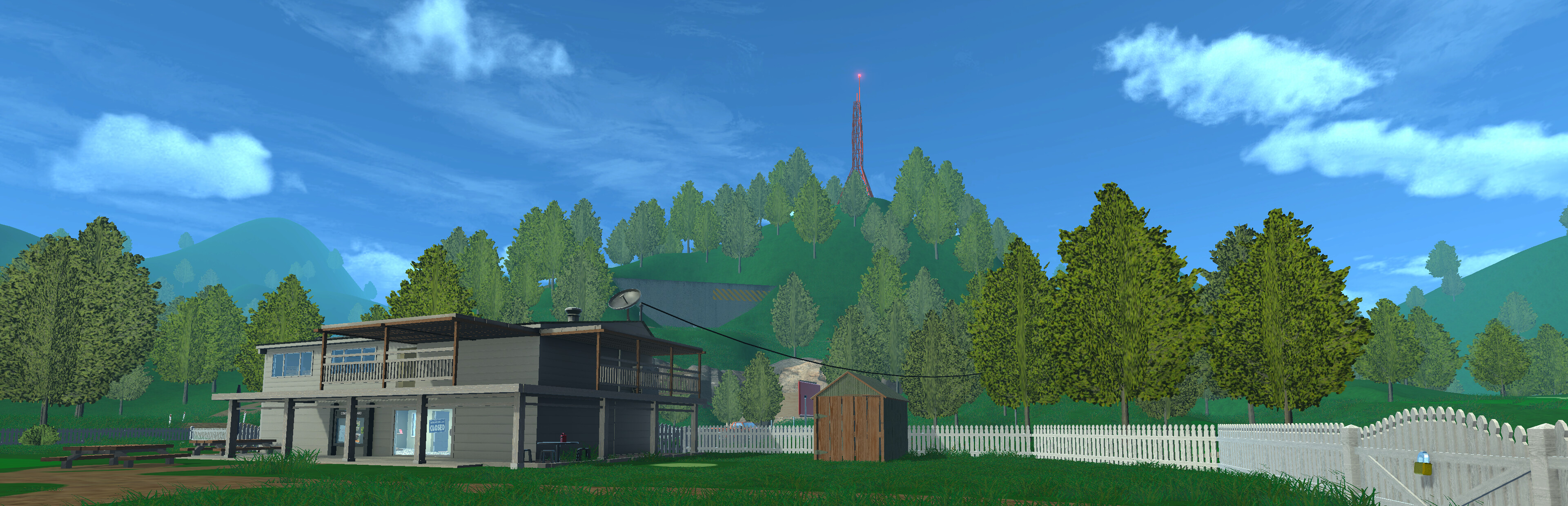
Normal Golf Game Demo Guide: Master the Challenge and Tips
Download the Normal Golf Game demo and master the physics-based mechanics. Discover expert tips, gameplay secrets, and how to conquer the Ultimate Challenge.
Published:
Video Guide
DEFINITELY JUST A NORMAL GOLF GAME | NORMAL GOLF GAME - LGIAGTable of Contents
Have you ever wondered what happens when a developer decides that golf should be less about relaxation and more about sheer, chaotic physics-based willpower? Welcome to the normal golf game demo, an experience that is anything but "normal." As you step onto the virtual tee, you will quickly realize that this is a "suffer-core" style challenge that tests your precision, patience, and ability to handle a very temperamental golf club.
Whether you are a seasoned gamer looking for your next addiction or someone who enjoys watching streamers struggle through hilarious, physics-defying golf simulators, this demo offers a unique playground. Understanding the mechanics of the normal golf game demo is the key to stopping your car from getting towed and actually clearing the challenges set by the dev, Luke Muscat. Let’s dive into how you can transition from a frustrated amateur to a golf virtuoso.
Getting Started: Understanding the Core Mechanics
The first thing you will notice is that your mouse controls your hands, and your hands control the club. Unlike traditional sports games, there is no "auto-aim" or simple click-to-swing mechanic here. You are responsible for every micro-adjustment of the club face, your stance, and the power behind the swing.
Essential Control Mapping
To succeed in the normal golf game demo, you must internalize the following controls quickly. Relying on muscle memory is crucial, as the game’s physics engine is unforgiving.
Action
Control Key
Purpose
Swing Club
Mouse Drag
Manual control of club movement
Quick Reset
Spacebar
Instantly resets the ball for rapid practice
Turn Club Face
A / D
Horizontal rotation for slice/hook shots
Club Placement
Q / E
Vertical adjustment of the club face
Fine-Tune Aim
Z / C
Precision aiming towards the target
Don't Over-Swing!
Many new players fall into the trap of using maximum power. In this game, finesse is often more effective than raw strength, especially when navigating around obstacles like trees or fences.
Why the Physics Feel So Different
If you feel like you are struggling more than usual, you are not alone. According to community reports, players often compare the movement to titles like Getting Over It, where the slightest mouse jitter can ruin a perfect approach. The game relies on a complex interaction between the ball’s hitbox, the ground texture, and your club's contact point.
When you hit the "thin" or "topped" part of the ball, the physics behave predictably according to real-world golf logic, yet the game forces you to manipulate these outcomes intentionally to solve puzzles. Why does this matter? Because to smash the boards and unlock paths, you often need to hit the ball in ways that would be considered "bad" in real golf but are "necessary" here.
Mastering the Ultimate Golf Challenge
The "Ultimate Golf Challenge" is the centerpiece of the demo. You are essentially trapped in an environment where your car has been towed and you are forced to prove your worth to the game's designer.
Common Challenge Requirements
Mission Type
Goal
Strategy
Sign Destruction
Smash boards/signs
Stand closer to the object to reduce launch angle
Hidden Gong
Find the hidden target
Look for non-obvious paths around the clubhouse
Wind Compensation
Adjust for 30mph gusts
Aim slightly into the wind; it acts as a lateral force
Putting Consistency
25 yards to the pin
Use minimal mouse movement for delicate touches
One common player mistake is forgetting to adjust their stance. By experimenting with your character’s position—shifting your weight or changing how you stand relative to the ball—you can change the trajectory significantly. If you want the ball to pop higher, lean into your front foot. If you want a lower, piercing shot, adjust your stance backward.
Advanced Tips for Pro-Level Play
If you want to speedrun the demo or impress your friends, you need to think like a sequence breaker. Many of the barriers in the game are designed to be "smashed" rather than navigated. If you are struggling with a specific shot, look for the ricochet point. Sometimes the best way to hit a target is to bounce the ball off an environmental object rather than aiming directly for the flag.
According to player experiences, the wind mechanic is one of the most frustrating aspects for newcomers. In the late stages of the demo, wind speeds can reach 30 mph. You must treat the wind as a tangible obstacle. Instead of aiming directly at the hole, visualize a curve that accounts for the crosswind blowing the ball off course.
Dealing with the "Normal" Frustration
It is perfectly normal to feel like the game is trolling you. The developer, Luke Muscat, intentionally creates moments that seem unfair. However, every challenge is solvable. When the game tells you it's "time for normal golf," take a deep breath.
[!SUMMARY]
Avoiding the Frustration Loop
Use the Quick Reset: Use the Spacebar to reset immediately after a bad shot to keep your rhythm.
Watch the Club Face: The biggest cause of an unintended slice is an unstable mouse movement; use A and D keys to balance the face before you swing.
Ignore the Bait: Don't chase the "perfect" golf shot; chase the shot that hits the target, even if it looks ugly.
Why You Should Wishlist the Full Game
While the normal golf game demo is a fantastic, self-contained experience, the full game promises a much larger course and more devious puzzles. By playing the demo, you get a feel for the unique charm—a mix of surreal comedy and genuine simulation. If you enjoyed the frustration of learning the controls, the full release is likely to be a "Game of the Year" contender in terms of pure mechanical satisfaction.
For those interested in the official updates, you can check the Steam store page for the most recent patches and community discussions. Keeping track of the developer's notes is a great way to understand if there are hidden mechanics or balance changes that could make your next run easier.
FAQ: Frequently Asked Questions
Is the normal golf game demo difficult to master?
Yes, it is purposefully designed to be difficult. It follows the "suffer-core" genre, meaning your success relies on mastering sensitive physics controls rather than luck.
Can I skip the tutorial section in the demo?
The tutorial is an integral part of the experience designed to teach you the complex mechanics. While it may feel long, completing it is the only way to reach the more open sections of the map.
Does the game run well on Steam Deck?
According to official system requirements, the game runs great on the Steam Deck and entry-level desktops. We recommend setting the game to 1080p and lowering grass density if you encounter performance drops.
How do I handle the crosswind in the final stages?
The wind is a significant factor in the normal golf game demo. You must compensate by aiming slightly into the direction of the wind to ensure your ball lands where intended.